See the whole picture.
Give your title and description a dress rehearsal. Check the desktop and mobile view before your page meets the world.
 slerpee.Add to Chrome
Preview and polish your page title and meta description with Slerpee, the free Chrome extension that works right beside your webpage.
Made for Chrome. Available now in the Chrome Web Store.


Get the cold brew ratio right every time: our 1:8 starter recipe, steep times by roast, and a printable chart for the fridge door.
Keep the useful stuff. Lose the overwhelming stuff.
Give your title and description a dress rehearsal. Check the desktop and mobile view before your page meets the world.
Pixel-width checks and friendly feedback help you spot a title or description that may get cut off.
Happy with your preview? Copy the text or ready-to-paste meta tags and take your polished result back to your page.
A preview, not a promise: Google may rewrite titles and descriptions, and its display can vary.
Open Slerpee beside a webpage to pull in its current title and description. Edit the preview, check the fit, and copy your finished text or meta tags.
Your work stays with you. Drafts are saved locally in your browser. Read our privacy policy →
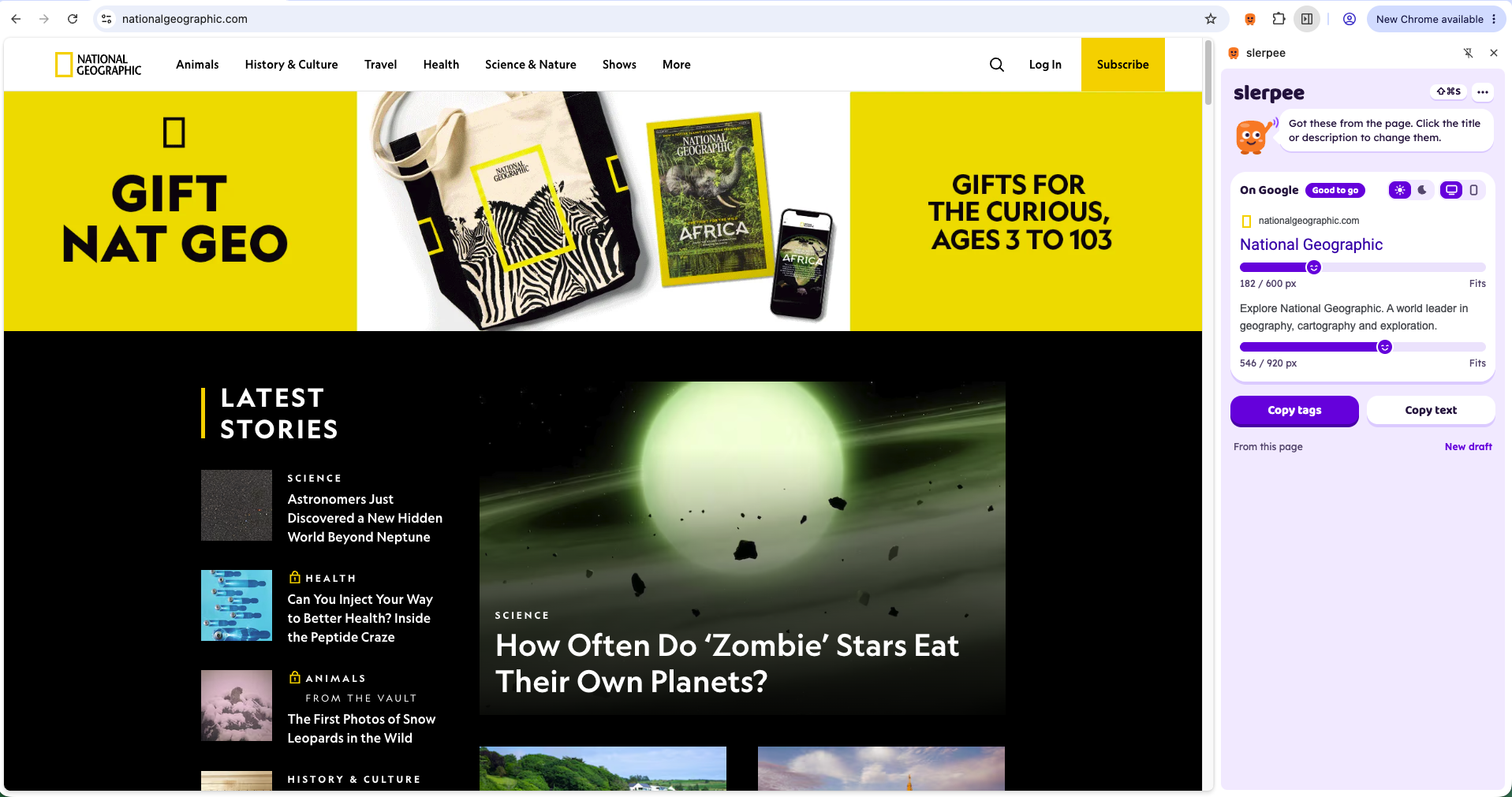
Bring up Slerpee beside the page you’re working on. Your title and description have a new home.

Shape your search result with a clear preview and a friendly heads-up when things get long.

Copy your finished text or meta tags, then add them to your page. Serp will cheer you on.
SERP / YOUR FRIEND IN THE SIDE PANELThis is Serp. Part cheerleader, part extra pair of eyes. Nervous when your title runs long. Delighted when everything fits.
Because making your page look good should feel good, too.
Thinking it overA little too longGood to go!Your next search result has a little friend waiting for it.
Add to ChromeYour little search-result sidekick is ready. Add Slerpee to Chrome.